Ironworks
Build production lines. Keep your promises. Grow your factory.
Ironworks
Production lines · Supply chains · Customer orders
Your next order is waiting.
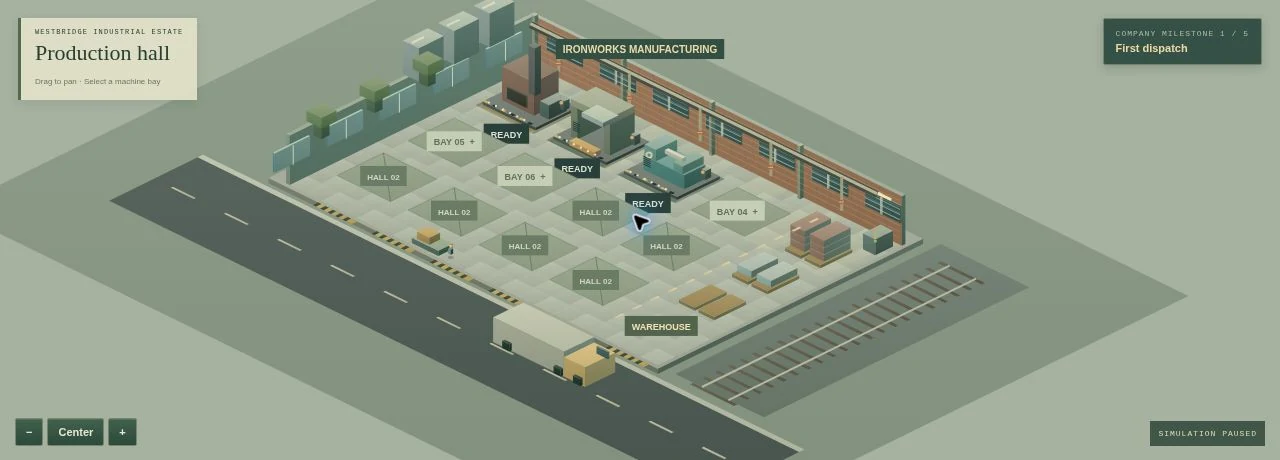
Three machines, a warehouse of materials, and a first customer. Turn this small workshop into a manufacturer that can deliver steel, precision parts, and industrial pumps.
Ore and coal become steel. Steel becomes panels and gears. Assemble those into pumps. Every machine competes for operators, power, and warehouse space. Order materials ahead of time, maintain your equipment, and choose customer orders your factory can fulfill.
Your first shift
Open Customer orders and accept Westbridge Rail’s steel order. Your starting warehouse has enough steel to dispatch it immediately. Then press 1× to start your machines. Purchase ore and coal before they run out; standard deliveries take 12 game hours.
Inside the factory
Four machine types, six materials and products, twelve expandable machine bays, up to twelve operators, power and storage upgrades, maintenance, tooling improvements, three engineering projects, customer deadlines, a spot market, loans, operating accounts and five milestones.
Campaign or sandbox
Campaign starts with $22,000, three machines, and starter inventory. Three negative daily cash balances close the factory. Sandbox starts with $110,000, optional additional funds, and no forced closure. Both modes keep playing after the final milestone.
Controls & saves
Click a machine or use the bay selector. Drag to pan; scroll or use + and − to zoom. Space pauses, and 1 / 2 / 3 select speeds. Factory menu includes the handbook and save export/import. Your progress is stored in its own browser save slot. Desktop or expanded landscape is recommended.