Supermarket Tycoon
Stock the shelves. Open the doors.
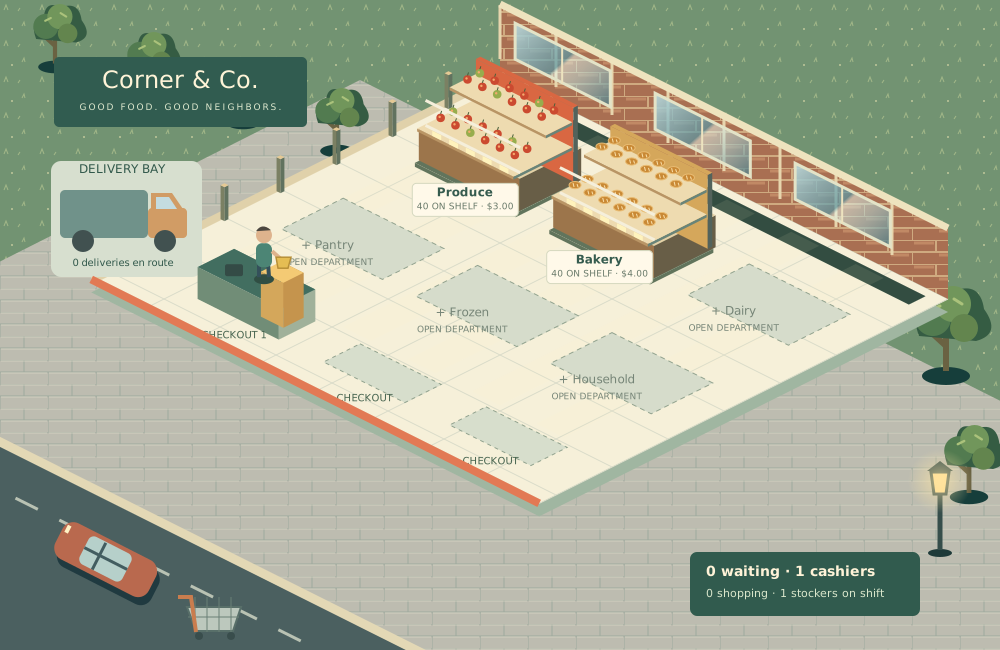
Supermarket Tycoon
Stock shelves · Welcome shoppers · Grow your supermarket
Become the neighborhood favorite.
Grow a small grocery shop into a six-department supermarket. Watch customers browse the shelves, fill their baskets and queue at checkout. Every department, cashier and delivery has a job to do.
Set product prices, manage fresh stock, order deliveries and hire the team that keeps your shop moving. Expand into dairy, pantry, frozen and household goods. Automatic ordering and shelf restocking help you focus on the next business decision.
Your first trading day
Press 1×. Produce and bakery are stocked, with a cashier and stocker ready. Watch customers take goods to checkout. Money arrives when they pay.
What can I manage?
Six departments, shelf prices and capacity, backroom stock, deliveries, automatic orders, spoilage, three checkouts, cashiers, stockers, promotions and six campaign milestones.
Campaign or sandbox?
Campaign starts with $4,500 and closes after three consecutive closings below $0. Sandbox starts with $15,000, optional extra funding and no forced closure.
Controls and saves
Select a shelf, checkout or delivery bay on the shop floor. Main controls stay in the bottom dock. Space pauses; 1, 2 and 3 change speed. Progress saves locally, with backup export and import in More → Save & settings.