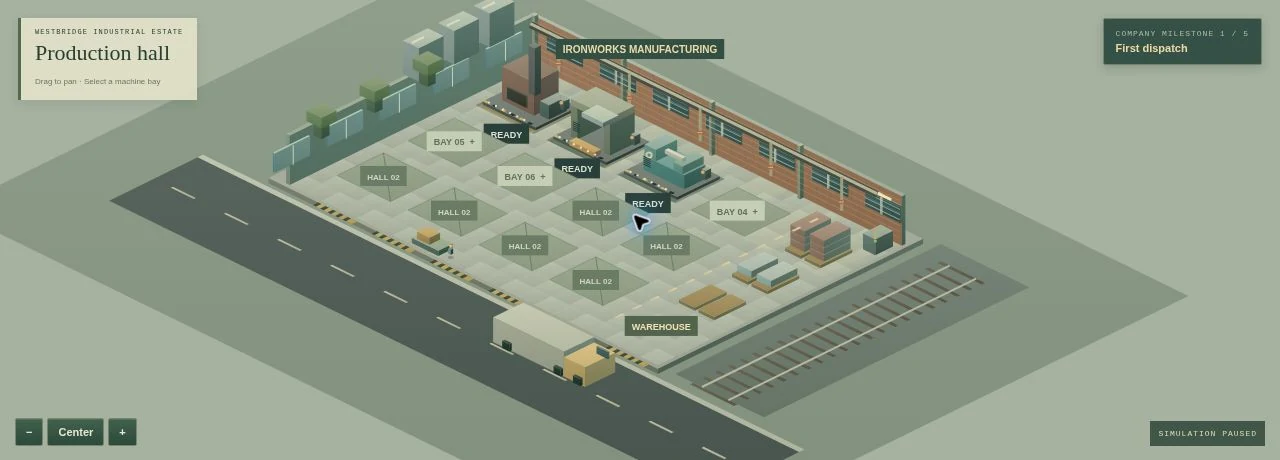
1. Dispatch the order you can already fulfill
Campaign starts with three machines, three operators, $22,000 and starter inventory. Open Customer orders and accept Westbridge Rail’s first steel order. Your starting warehouse already contains enough steel to dispatch that order.
Dispatch it to receive payment, then start the simulation at 1×. Accepting an order is not the same as completing it: customer payment arrives when the goods are dispatched. Read the quantity and deadline before taking another order.
2. Follow the materials through the factory
The arc furnace turns iron ore and coal into steel. The sheet press uses steel to make panels, and the precision lathe uses it to make gears. After the relevant research, assembly combines panels and gears into pumps.
Steel is shared by downstream machines and steel orders. If you promise a steel shipment while the press and lathe consume the same inventory, the warehouse may not contain what you expect. Decide which product has priority, and pause a competing machine when necessary.
3. Order before the stock reaches zero
Standard deliveries take 12 game hours. Express deliveries take three hours and carry a 35% premium. Materials are paid for when you place the order, so buying supplies uses cash before those supplies can earn anything.
Use the warehouse figures and production cycles to judge when you need another delivery. Also leave space for incoming materials and finished goods. A warehouse limit can stop production even when a machine has its inputs.
4. Fix the actual bottleneck
Machines require operators and power. Check both before adding equipment to an empty bay. A machine without the resources to operate increases the size of the factory without increasing its output.
Condition falls with use; below 15% a machine stops. Service takes six game hours. Plan maintenance around customer deadlines and use quieter periods to upgrade tooling. Construction and upgrades also take time, so they cannot rescue an order that is due immediately.
5. Keep promises and a cash reserve
You can accept up to three customer orders at once. Commit only to quantities and deadlines your production chain can support. Missing a deadline carries a penalty, and making goods without dispatching the order does not complete the sale.
Review daily operating accounts as well as the cash balance. In campaign, three consecutive negative daily cash balances close the factory; sandbox removes forced closure. Keep money for supplies, staff and service instead of spending every sale on another machine. Export a backup from Factory menu when you want to move your save to another device.
Check the foundations.
- The first steel order has been dispatched.
- Raw materials are ordered before the 12-hour lead time becomes a problem.
- Operators, power and warehouse capacity support active machines.
- Accepted orders fit the production schedule and maintenance needs.
Your next move is in the game.
Put the guide to work in Ironworks.